Australian drivers, see the servo price first.
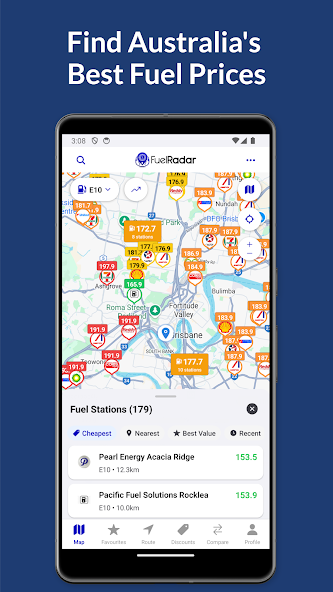
FuelRadar puts fuel prices on a map on your phone, so you can see the price before you indicate, not after.
The price board,
moved to your phone
The servos on either side of the highway rarely charge the same per litre. Usually you only find out when the price board is right beside you, after you've already turned in.
FuelRadar is a map of fuel prices in Australia. Open it while you're stopped at the lights or the night before a long drive, and you'll see the prices before you choose the forecourt.
By eye, or by map
Both ways get the tank filled. The difference is what you know before you commit to a driveway.
Without the app
- You read the board at the kerb.The price only appears when you're close enough to see the sign, which is often too late to change lanes.
- You compare from memory.You remember what the servo near work charged last week and hope today is similar.
- You plan the fill-up by habit.You take the same bowser on the same corner, because checking anywhere else means driving there.
With FuelRadar
- You see the prices on a map.The fuel prices are shown on your phone, with no detour to read a sign.
- You compare before you move.Nearby servos sit on one map, so you can choose one before the turn instead of after it.
- You plan the stop in advance.The night before a trip, with the phone on your knee, you can pick where to top up.
Three stops on an ordinary drive
Tap a stop on the route to see where the map comes in. These are the moments when a price on screen helps more than a price on a pole.
At the lights
A red light a block before two servos is enough time to check the map. You turn in knowing the price instead of guessing it.
At the bowser
The fuel flap is open and the nozzle is in. A glance at the map shows what the other servos around you charge, which helps you pick your next fill-up.
The night before
Before a long drive, you look over the map at home. Choosing where to fill up becomes part of the plan, not a decision made at 110 km/h.
The screens
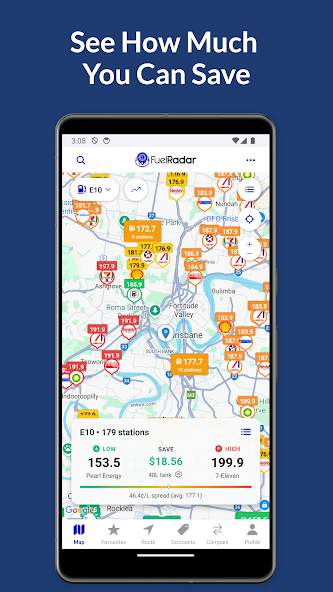
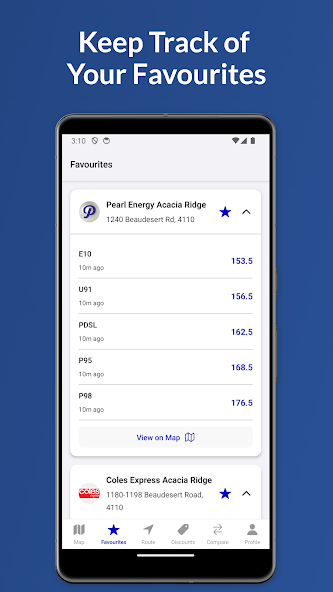
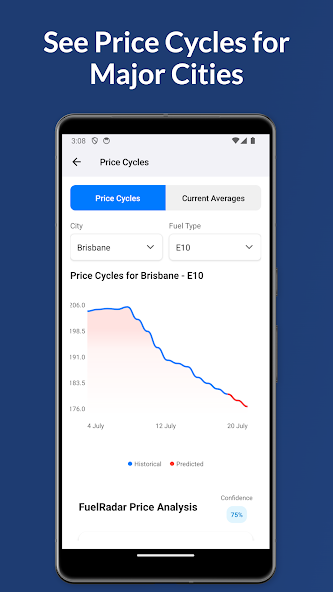
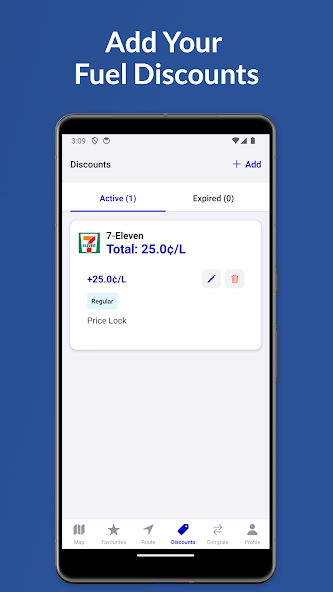
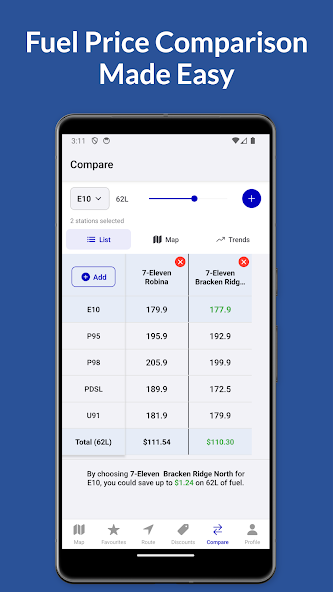
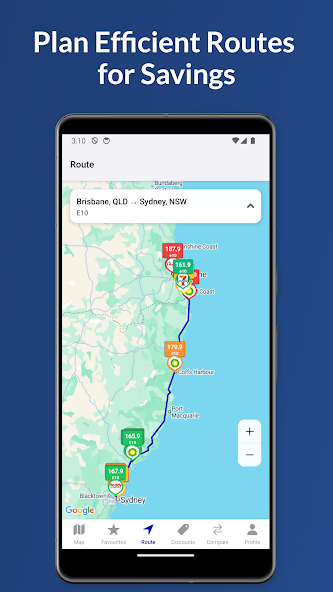
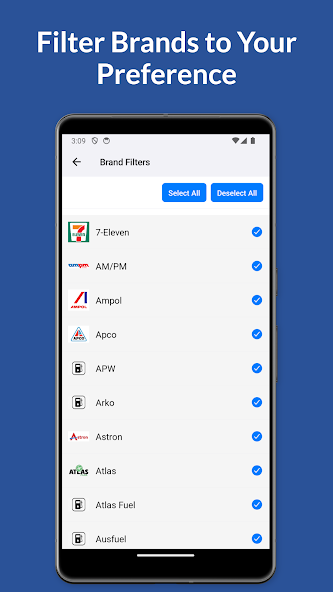
This is how FuelRadar looks on the phone in your cradle: a map and prices, ready to read at a glance.
What happens to your data
- Encrypted in transit
- Data is encrypted while it travels between your phone and the service, according to the app's store listing.
- Deletion on request
- You can request that your data be deleted. The request goes to the developer, FuelRadar Australia.
Put the map in your pocket
FuelRadar installs from the official stores. Check the current listing, compatibility and any in-app terms on the store page before you install.